Introduction
Artificial intelligence has made extracting information from PDF documents faster and more accurate than ever before. However, even the best AI-powered tools can produce poor results if the documents themselves present unnecessary challenges.
Understanding the most common PDF extraction mistakes can help your business improve accuracy, reduce manual corrections, and get far more value from document automation.
Whether you're processing invoices, receipts, contracts, reports, or application forms, avoiding a few common mistakes can dramatically improve your workflow.
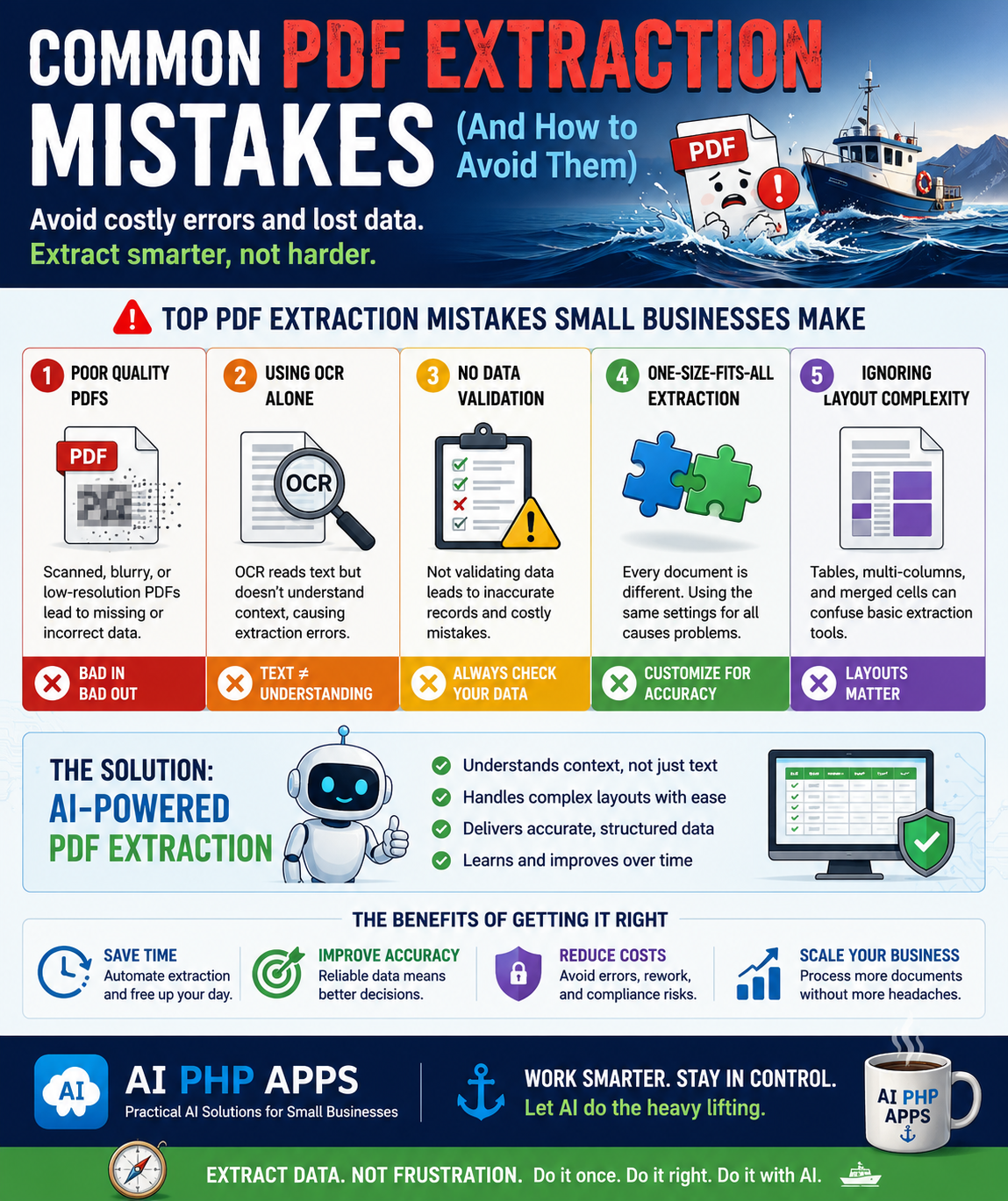
Mistake #1: Using Poor Quality PDFs
Low-resolution scans, blurry documents, dark photocopies, and heavily compressed PDFs often contain information that is difficult for both humans and AI to interpret.
Whenever possible, use clear, high-quality digital PDFs or high-resolution scans.
The cleaner the document, the more accurate the extracted data will be.
Mistake #2: Relying on OCR Alone
Traditional OCR is excellent at recognizing characters, but it doesn't truly understand the meaning of a document.
Modern AI-powered extraction combines text recognition with contextual understanding, allowing it to identify invoices, dates, totals, customer information, addresses, and much more.
Think of OCR as reading words while AI understands the document.
Mistake #3: Skipping Human Review
Artificial intelligence is an incredibly valuable assistant, but important business documents should still be reviewed before information is imported into accounting systems, CRMs, or databases.
A quick review provides confidence while still saving significant amounts of time.
Mistake #4: Treating Every Document the Same
Invoices, receipts, contracts, applications, purchase orders, and reports all contain different layouts and different types of information.
Successful document automation recognizes these differences and processes each document appropriately.
Mistake #5: Ignoring Complex Layouts
Many PDFs contain tables, multiple columns, checkboxes, signatures, or embedded images.
Basic extraction methods often struggle with these layouts, while AI-powered systems are better equipped to understand complex document structures.
Best Practices for Better Results
- Use high-quality PDFs whenever possible.
- Choose AI-powered extraction instead of OCR alone.
- Review important extracted information.
- Organize documents consistently.
- Allow AI to understand document context.
- Test extraction on different document types.
- Continue improving workflows over time.
Benefits of Avoiding These Mistakes
- Improve extraction accuracy
- Reduce manual corrections
- Save valuable employee time
- Reduce administrative costs
- Process documents faster
- Create more reliable business data
- Scale document workflows with confidence
Frequently Asked Questions
Can AI extract information from scanned PDFs?
Yes. AI can work with scanned PDFs, although higher-quality scans generally produce better results.
Does AI completely replace OCR?
No. OCR is still useful for reading text. AI builds upon OCR by understanding the meaning and structure of documents.
Should businesses always review extracted data?
Yes. Human review remains an important quality-control step, especially for financial or legal documents.
What documents benefit the most?
Invoices, receipts, contracts, purchase orders, reports, statements, forms, and applications are all excellent candidates for AI-powered extraction.
Final Thoughts
AI-powered PDF extraction has become one of the most valuable productivity tools available to small businesses. By avoiding a handful of common mistakes, businesses can dramatically improve accuracy, reduce repetitive work, and save valuable time.
The goal isn't simply to extract text—it's to create reliable, structured information that helps your business work smarter.